Are reminders switched on in moj?
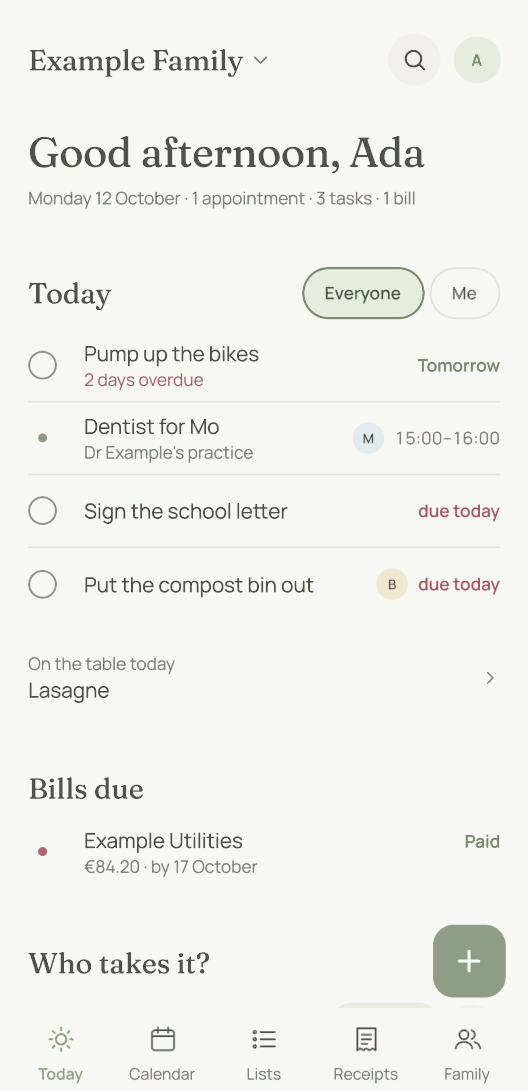
Not at first. In moj, open Settings at the top right of “Today”, then “Reminders”, and tap “On”. The phone then asks once whether moj may send notifications.
The setting belongs to your account. It is the same on every phone you are signed in on. What moj reminds you about for appointments, tasks and birthdays is explained on when moj reminds you.
Is moj allowed to show notifications on your phone?
If moj says “Notifications are turned off for moj.”, the phone has blocked them. moj cannot change that itself. The “Open Settings” button below it opens moj’s page in the phone’s settings. By hand it works like this:
- iPhone: “Settings” › “Notifications” › moj › switch on “Allow Notifications”.
- Android: “Settings” › “Notifications” › “App notifications” › switch on moj. The menu names vary a little from one manufacturer to another.
You can see whether your phone can be reached in moj’s reminder settings, under “Other devices”.
Is the iPhone holding the notification back?
Two things can cause this. You control both on the iPhone, not in moj.
A Focus. “Do Not Disturb” and the other kinds of Focus silence or delay notifications. Under “Settings” › “Focus” you decide which apps can get through for each Focus.
The Scheduled Summary. This makes the iPhone collect notifications and show them at set times. Under “Settings” › “Notifications” › moj, set moj’s notifications to be delivered immediately. iOS 27 and iOS 26 word this choice differently. In iOS 26 you choose in the same place between immediately and on a schedule.
Checked in Apple’s iPhone User Guide on 8 October 2026, for iOS 26 and iOS 27.
Is Android holding the notification back?
Three things can cause this, and all three are in the phone’s settings.
“Do Not Disturb”. It silences most notifications. You switch it off in Quick Settings, which you open by swiping down from the top of the screen.
The battery. Battery Saver and “Adaptive Battery” can delay notifications. Under “Settings” › “Apps” › moj, open the app’s battery usage. Background use should be allowed there, with the optimised setting. Google recommends this for all apps.
A long break. If you do not open an app for a long time, Android pauses it and holds back its notifications. This mainly affects people who use moj only through WhatsApp. In moj’s app info, switch off “Pause app activity if unused” in the section for unused apps.
Checked in Google’s help for Android and Pixel on 8 October 2026. Other makers sometimes name the menus differently.
Why does nothing arrive at night?
Because moj does not wake anyone at night. It collects what others add or change between 21:00 and 07:00. At 07:00 it all arrives as a single notification.
Reminders you set yourself still arrive on time. A reminder for 22:00 comes at 22:00.
Why did a reminder come late or not at all?
Your phone schedules the reminders itself, a week ahead. It uses what it loaded the last time you opened moj. So anything someone adds shortly beforehand is not on it yet. And if you do not open moj for more than a week, you have no scheduled reminders left after that.
Open moj every now and then. Each time, the phone schedules the next week afresh.
How do you get fewer notifications?
It helps to know first where they come from. When someone adds an appointment or a task with a date, everyone who sees it gets a notification. If the task is assigned to someone, only that person gets it. If that person has no account, the adults get it.
These notifications do not depend on the “Reminders” switch. That switch only controls the reminders your phone gives you itself.
You can make things quieter in three places:
- The question “Who takes it?”. The cross beside it means “Needs nobody”. After that moj stops asking about that appointment.
- A single appointment. Set its “Reminder” to “Off”. It then rings for nobody.
- Settings. You can switch off “Daily overview”, “Heads-up before birthdays” and “Sunday evening” individually.
There is nothing else to set in moj. Everything else is up to the phone, in its notification settings. But muting moj there silences the reminders as well.
Short answers
Why am I not getting reminders from moj?
Usually they are still switched off in moj. They always are at the start. Switch them on in Settings under “Reminders” and allow notifications on your phone.
Why do no notifications come at night?
moj collects what others add between 21:00 and 07:00. At 07:00 it all arrives as one notification. Reminders you set yourself still arrive on time.
Can moj switch notifications back on by itself?
No. If the phone has blocked them, you can only change that in the phone’s settings. moj then shows “Notifications are turned off for moj.” The “Open Settings” button below it takes you straight there.
Why do I get so many notifications from moj?
Every new appointment and every task with a date notifies everyone who sees it. You can make it quieter with “Needs nobody” on the question “Who takes it?”, with “Off” on an appointment and with the switches for the daily overview, birthdays and Sunday evening.
Do I have to open moj for reminders to come?
Now and then, yes. The phone schedules reminders a week ahead from what it last loaded. If you leave moj closed for longer, later reminders arrive only after you open it again.
As of 20 October 2026. Who gets reminded of what: when moj reminds you. What a notification contains: who sees what.
Still have a question?
Send us a line about what you tried to do and what happened instead. We reply to the address you give.
Write to usIn the Swiss App Store since 6 October 2026. Germany and Austria will follow, and Android by the end of the year.