Why an email address for moj?
Many bills and letters from school arrive by email. Instead of downloading them and sending them to moj, you just forward the email. That works from a computer too.
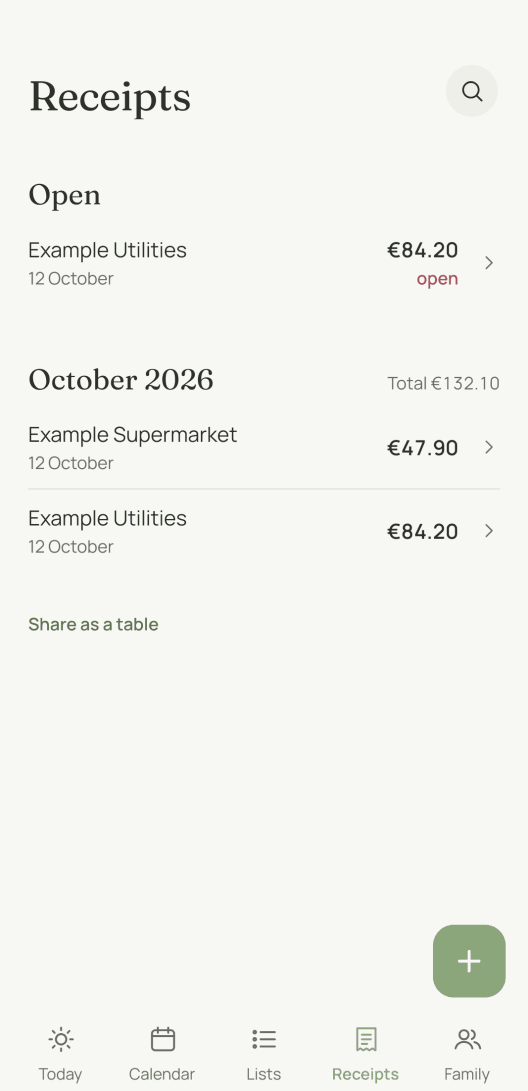
moj reads the attachment just like a photo sent on WhatsApp. A bill goes under Receipts, with its amount and deadline. You can see what that looks like on Receipts.
Which two addresses are there?
Your address for everything. You forward a bill, a letter from school or an order confirmation to it. The attachments and text arrive in the inbox like a message. For now this address is only available on the iPhone.
The address for bills. This one is meant for providers: you give it to them as the address they send your bills to. Or you set up forwarding to it in your own email account. Whatever arrives there is filed as a receipt in your family. It only accepts attachments.
Once the month’s free limit is reached, moj stops reading bills as well. The bill then sits in your family space as a note, with its subject line and the file. The owner of the address gets a notification about it.
Where do you find the addresses?
You find them in moj, in Settings at the top right of “Today”, under “Addresses for the inbox”.
- For bills, tap “Create address for bills”.
- The address for everything appears under “Email to moj” once you have tapped “Create Siri address”. The two go together, because Siri takes the same route.
Tap “Copy email address” to paste it somewhere else, such as your email app.
What does moj accept by email?
moj accepts attachments as PDF, JPEG, PNG or WebP, each file up to 20 MB. Each attachment becomes a separate entry. The email’s subject line goes with it as the description.
You can also write to the address for everything without an attachment. The text then becomes the message, as on WhatsApp. The first 2,000 characters count.
moj doesn’t read pictures that are in the body of the email rather than attached.
Why don’t you get a reply?
moj doesn’t reply to emails, not even with an error message. You can see in moj whether something arrived: a bill under Receipts, everything else in History.
An email that moj doesn’t accept disappears unread. That happens to emails sent to an address you have withdrawn, and to emails without an attachment sent to the address for bills.
The same goes once you leave the family space or delete your account. So change the address for bills with your providers first.
Who can send to your addresses?
Anyone who knows them can. That is why they are long and random, and why you only give the address for bills to providers. Anyone who has it can send receipts into your family.
If something arrives there that doesn’t belong, withdraw the address. With “Withdraw address” it stops working at once. You can create a new one with one tap.
Short answers
Can I send moj something from a computer?
Yes, by email. Forward an email to your moj address. The attachments and text then arrive in the inbox like a message.
Do I get a confirmation by email?
No. moj doesn’t reply to emails. You can see in moj whether something arrived: under Receipts or in History.
What happens to an email without an attachment sent to the address for bills?
It disappears unread. The address for bills only accepts attachments, meaning PDFs and photos.
How do I get rid of an address?
In moj under “Addresses for the inbox”, with “Withdraw address”. Emails sent to it then disappear unread. You can create a new one at any time.
Last updated 20 October 2026. What is stored when you email moj is in the privacy policy.
Still have a question?
Send us a line about what you tried to do and what happened instead. We reply to the address you give.
Write to usIn the Swiss App Store since 6 October 2026. Germany and Austria will follow, and Android by the end of the year.