What is moj not?
moj is a family planner. You send it what is coming up, and it files it in the right place: on the shopping list, in the tasks, in the calendar, with the receipts.
We did not build it for chatting. moj does not make small talk and does not answer general knowledge questions. It does answer questions about your own plans. “What’s on at the weekend?”, for example. It takes the answer from your calendar and your lists. It looks nowhere else.
Nor is it a budget tracker, a recipe site or a chatbot with a personality. What moj does instead has its own page: what you can send moj.
What does not work in which area?
There are four areas: messages, the calendar, money, and accounts and devices. Below, each point is followed by its reason. Most of these are not gaps. We decided against them on purpose.
Messages
No WhatsApp groups. Each person writes to the moj number on their own, and in the app the family then sees everything together. In a group it would no longer be clear who sent a message. But moj has to know, or it creates the task for the wrong person. That is why we do not want groups.
You need the app to get started. So that moj knows your mobile number, you get a code in the app and send it as your first WhatsApp message. If a number moj does not know writes to it, moj replies with exactly these instructions. It does not store the number.
Not without the internet. We sort on our server, not on the phone. Without a connection moj tells you so straight away. It would rather accept nothing than accept a message that never arrives anywhere.
Only text, photos, PDFs and voice messages. Up to 20 MB per file. moj does not accept other formats, and it tells you so. Nothing disappears without a word.
Calendar
Appointments from outside come only as a subscription. If a calendar has an address in iCal format, like the nursery’s, moj fetches its appointments every hour. moj shares your own appointments as a link that Apple Calendar and Google Calendar can subscribe to. A change never goes back to the source. Otherwise every change would exist twice in two calendars, and nobody would know which version counts.
No invitations to outsiders. Only people who belong to your family in moj see an appointment. Anyone who should belong is invited into the family. We have not built a way to share a single appointment with people outside it.
No reminders at night. moj collects what would be due between 21:00 and 07:00 and sends it to you in one message in the morning. That way nothing rings at night. It is a setting we chose, not a delay.
Money
moj does not transfer money. For a bill it creates a Girocode, a QR code for bank transfers. If your banking app can scan it, the IBAN and amount are already filled in on the transfer form. You have to send the transfer from there yourself. moj has no access to your account.
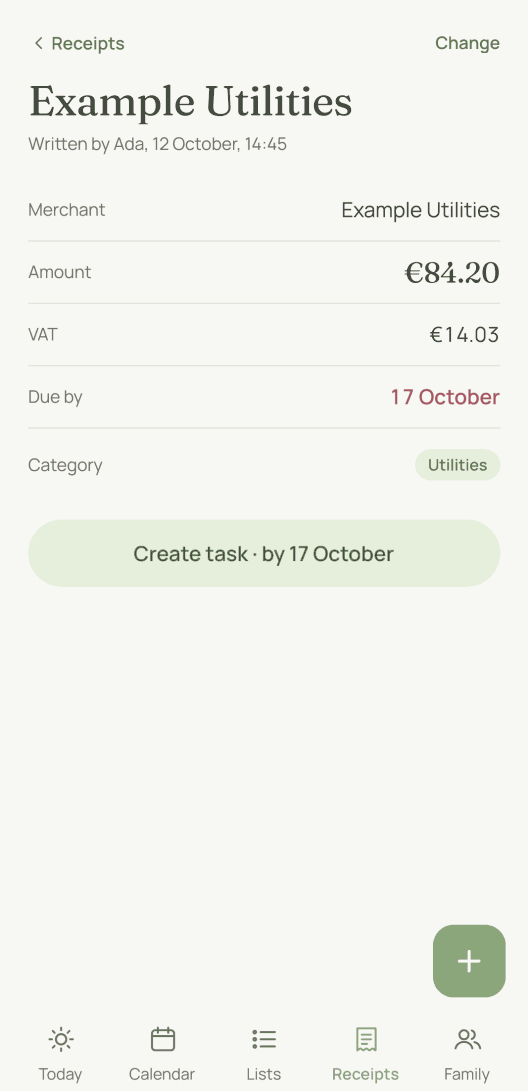
No budget tracker. moj files receipts and finds them again, with the merchant, amount, date and due date. What it does not do is keep budgets, add up spending by category or set you limits.
Accounts and devices
No signing in with Apple or Google. You enter your email address and get a sign-in code that is valid for five minutes. You do not need a password, because there is none.
No import from other apps. You cannot bring lists and tasks over from another app, so you start afresh in moj. Getting your data out works at any time. In Settings you can download all your family’s data as a file.
Nothing for Alexa. We have not built anything for Alexa. Siri works, but you have to set it up yourself. In moj’s settings you create a personal address. In Apple’s Shortcuts app you then build a shortcut that sends your sentence to that address with the action “Get Contents of URL”. If the shortcut is called “moj”, saying “Hey Siri, moj” starts it. moj does not come with Siri built in. Checked with Apple on 9 October 2026.
The shopping list waits for the app. There are several moj widgets for the home screen: a clock with the next twelve hours’ appointments, the shopping list, a list to tick off and a button to speak. The shopping list does not fetch its data itself. It gets it from the app. Something another family member adds appears there only after moj has been opened on this phone again. The clock and the list to tick off are different: they fetch their entries themselves, even when moj is closed.
You cannot type into a widget. You tick things off there with a tap. To add something new, the plus opens moj with the keyboard on the iPhone. On Android it opens a small window over the home screen. Only on Android can the list be stretched across the whole screen. On the iPhone the largest widget Apple allows is the large one. Checked with Apple on 9 October 2026.
In the browser there is only the kitchen display. moj is an app for iPhone and Android, and you cannot sign in on a computer. The one exception is the kitchen display: a page for a tablet in the kitchen that shows today, the next few days and the shopping list. Nothing can be changed there. We built it that way on purpose, because anyone walking past can see that screen.
What may children not do?
A child sees four things in moj: the shopping list, your own lists, the tasks and the calendar. Their own start page shows only what concerns them: their tasks for today and the appointments they are part of. A child may add to the lists and to their own tasks. They can only read the calendar. They cannot create or change appointments. They never see receipts, ideas or goals at all. In Settings they find only their own settings, not the family’s.
On WhatsApp moj accepts shopping, entries on your own lists, their own tasks and voice messages from a child, but no photos or documents. As for the child, moj stores what you enter about them. If the child has their own account, the linked number is stored too. A child’s account does not need an email address.
What does not exist yet?
In the Swiss App Store since 6 October 2026. Germany and Austria will follow, and Android by the end of the year.
As of 12 October 2026. This is what the app actually does on that date, not what we are planning.
Short answers
Is there a moj WhatsApp group for the whole family?
No, and that will not change. Each person writes to the moj number on their own. In a group it would no longer be clear who sent a message, and moj has to know who a task is for. In the app the family sees everything together anyway.
Can I see appointments from another calendar in moj?
Yes, as a subscription. If the calendar has an address in iCal format, like the nursery’s, you add it in Settings under “Calendars from outside”. moj then fetches the appointments every hour. If you change one of them in moj, the change does not go back to the source. The other way round, moj shares your own moj appointments as a link.
Does moj keep household accounts?
No. moj files receipts and reads the merchant, amount and due date from them. Receipts are sorted by month, and each month shows its total. A receipt shows its category, but categories are not added up anywhere. moj does not keep a budget.
Can I bring my data from another app to moj?
Not your lists and tasks, because we have not built an import for them. Appointments come in through a subscription to a calendar address. Getting your data out works for everything. In Settings you can download all your family’s data as a file.
Is moj available in the browser?
Only the kitchen display. It is a page for a tablet in the kitchen that shows today, the next few days and the shopping list. You cannot change anything there. Everything else happens in the app for iPhone and Android.
Does moj make bank transfers for me?
No. For a bill moj shows a Girocode, a QR code for bank transfers. If your banking app can scan it, the IBAN and amount are already filled in on the transfer form. You have to send the transfer from there yourself. moj has no access to your account.
As of 12 October 2026. What moj can do instead is on what you can send. What happens to your messages is explained on AI and your data. The full details are in the privacy notice.
Still have a question?
Send us a line about what you tried to do and what happened instead. We reply to the address you give.
Write to usIn the Swiss App Store since 6 October 2026. Germany and Austria will follow, and Android by the end of the year.