How do you take something back?
You take it back with one word. Every confirmation ends with “Reply with ‘undo’ to take that back.” That is exactly what it does: your last message is gone, and the reply names it. If moj didn’t file anything from that message, there is nothing to take back, and moj tells you so. The German “zurück” and “rückgängig” do the same. You can add a reason after a comma: “undo, that was for Grandma’s list”.
Undo always takes back the whole message, never just one line of it. If “Buy milk and dentist Thursday” became two entries, both disappear. They came from one sentence, and nobody remembers which half was meant to stay. If you only want to remove one of them, delete it in the app.
If you mean an earlier message, reply on WhatsApp directly to its confirmation. Write “undo” there, and that message is taken back.
You can also take back a message while moj still has a question open about it. The question is then closed, and anything already filed goes too.
If moj can’t match your reply to anything, it says so. It doesn’t take back the most recent message instead, because undoing the wrong thing would be worse than undoing nothing.
You can only take back what came from you. Other members’ messages are changed in the app. There you can see what you are changing.
How do you change something instead of throwing it away?
You say what should change. “Dentist moved to Friday 10am” moves the appointment, “Bins are out” ticks off the task, and “Parents’ evening is off” cancels it. moj works out which open entry you mean and changes it rather than adding a second one.
“I’m going to the parents’ evening” adds you to the existing appointment. “I’ll take Mo to swimming today” does the same, and moj then stops asking who is taking Mo.
You can change a series the same way. “Only on Tuesdays from November” gives it the new rhythm from that day on, instead of adding a second series next to it. Everything before that day stays as it is. “Sina is staying till 9.30pm today” extends just that one appointment without moving its start. If you name a day on which the series has no appointment, moj changes nothing. Instead, the reply tells you which days the series is on.
If two entries fit equally well, say two appointments called “Dentist”, moj asks a quick question rather than guessing.
If it finds nothing open at all, it says “Nothing open matches …” followed by the word it searched for. That helps you more than a question would. It usually means the entry has a different name from the one you just used.
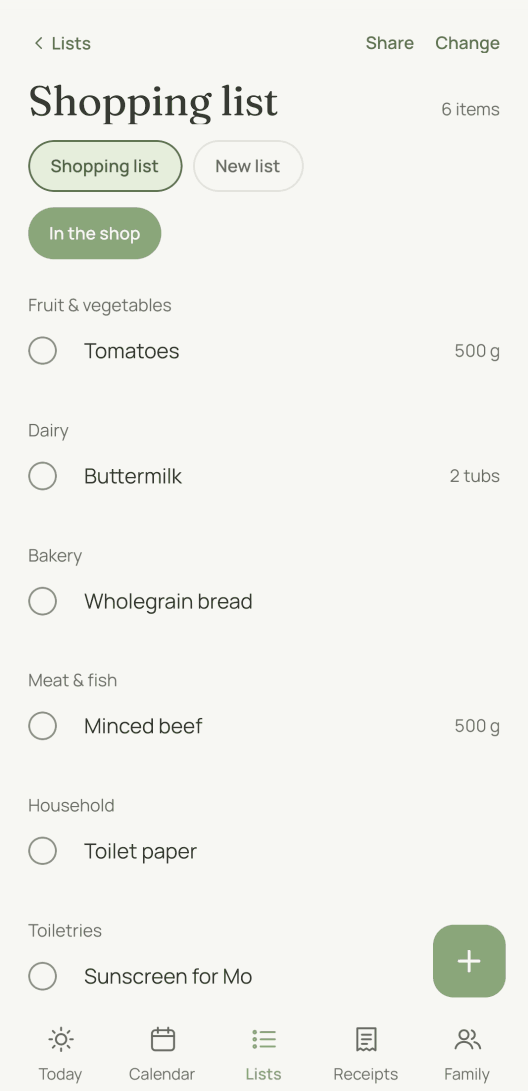
In the app you don’t need a sentence: tap the entry, then change or delete it. Deleting is even quicker. Hold the entry in its list, and moj asks once. After that, “Undo” is there for a few seconds.
If something ended up in the wrong family space, there are two ways to fix it. Straight afterwards, “undo” works as long as your number still writes into that space. Once you have switched, it takes back your last message from today in the new space. Later on, you choose the right space in the entry under “Family space”, and the entry moves across. Anyone who isn’t in the other space is removed from the entry, and the confirmation names them.
Five things stay in their space: appointments in a series, appointments from a subscribed calendar, receipts with a photo, goals and entries on a checklist. For these the app doesn’t show the field.
Where do you see what became of a message?
You see it in History, which you’ll find in Settings under “History”. Each message is listed there with what moj made of it: “This became …” or “Nothing came of it”.
“Undo” under a filed message works like “undo” on WhatsApp, but only for that message. Your own voice messages also have “Edit text” under them. If moj misheard you, this takes back what came of the message. Your words then go into the inbox, and you correct them there.
As an adult you also see messages from the others in your household in History. Who can read what is explained in Who sees what.
When does moj check with you first?
moj asks when filing something wrongly would cost more than a question. It works on three levels:
- Sure. moj files straight away and tells you how to take it back.
- Unsure. moj asks exactly one short question.
- No idea. moj says so and files nothing.
It only asks about things that would go wrong without an answer: which grandma you mean, when an appointment without a time is happening, what kind of entry “flowers” is meant to be. moj never asks about side issues, and you never get a form either.
If two people have the same name, the question names both with their household: “Who do you mean by ‘Lena’: Lena (North) or Lena (South)?”. You reply with one of the two. Adding something to the name makes it easier, such as “Lena South”. The app suggests this as soon as you add the second Lena.
A simple “yes” or “no” is enough. A “no” gets “Okay, dropped.”, and nothing is left behind.
When does moj file nothing at all?
It tells you in one line, always with the next step:
- Not understood. “I didn’t understand that. Tell me for example: milk on the list”
- Format not readable. Text, photos, PDFs and voice messages work. moj turns anything else down and tells you so, rather than quietly losing it.
- File too large. The limit is 20 MB.
- Number not linked. moj explains how to link it and doesn’t store the number.
What does moj tell you without being asked?
moj mentions two things unprompted, because otherwise you would only notice them on the day.
The first is a clash. If the same person already has something on at that time, moj says so in one line when it files the entry. It does the same when a child has an appointment and every adult is busy at that time. The same line also tells you if the day is a public holiday or falls in the school holidays.
The second is a duplicate receipt. If you photograph the same bill twice, moj only files it once and tells you that you already have it.
What can’t “undo” do?
Not other people’s messages. Everyone can only take back their own. Everything else is done in the app.
Not one line from a message. A message counts as one unit. If you only want to remove one of three things, it is quicker to delete it in the app.
Nothing you edited afterwards. We don’t undo changes you made yourselves after filing.
Last updated 20 October 2026. In the Swiss App Store since 6 October 2026. Germany and Austria will follow, and Android by the end of the year.
And if it’s still wrong?
Then write to us. The help page has a form. One sentence about what you sent and what became of it is enough for us to reproduce the problem. Bugs we can reproduce are the ones that get fixed.
Short answers
How do I undo something?
Reply on WhatsApp with “undo”. That takes back your last message and everything that came of it. The reply names the message. The German “zurück” and “rückgängig” work too.
Does “undo” take back everything that happened today?
No, just one message. If it contained three things, all three disappear together, because they belong together. Anything you sent before it stays.
Can I take back a particular entry, not the last one?
Yes. On WhatsApp, reply directly to that confirmation and write “undo”. That one is then taken back instead of the most recent one.
Can I take back what somebody else sent?
No. “undo” only works on your own messages. You change or delete what another member filed in the app, where you can see what you are changing.
Why does moj sometimes ask instead of just filing?
Because filing something wrongly costs more than a short question. When moj is sure, it files straight away and tells you how to take it back. When it is unsure, it asks exactly one short question. You never get a form.
Where do I see what moj made of my message?
In History, which you’ll find in Settings. Each message there shows what became of it. A filed message also has “Undo” under it.
How do I delete an entry completely?
In the app: hold the entry in its list and confirm “Delete”. Or open it and delete it there. A deleted entry disappears for everyone in the family. It stays in the database for as long as your family space exists. With the space it is gone for good after 30 days.
Last updated 20 October 2026. Before this: getting started and what you can send moj. What is stored and for how long is in the privacy policy.
Still have a question?
Send us a line about what you tried to do and what happened instead. We reply to the address you give.
Write to usIn the Swiss App Store since 6 October 2026. Germany and Austria will follow, and Android by the end of the year.