Who is reminded of an appointment?
The people who are going get the reminder. moj reminds whoever you put in an appointment, and nobody else. So put in who is really going.
There are two exceptions to this rule, and both are deliberate. If the only people in the appointment are children or people without an account of their own, moj reminds the adult they are with at the time. That applies to a child just as much as to a great-grandmother. If nobody at all is in the appointment, moj reminds the adults. In that case it doesn’t remind a child’s phone, or anyone who helps you out.
If a child has their own phone, moj reminds them on it directly once they have switched reminders on. moj still reminds the adult too, because someone still has to take them.
If a child goes on their own, mark the appointment “Goes alone”. moj then stops asking who is going with them, and it doesn’t remind an adult either.
When you add an appointment, a line under the reminder gives the number: “Reminds 2 phones”. It counts who the reminder is meant for and has an account of their own. Of those, only a phone with reminders switched on actually goes off. A task reminds the people doing it: one person, or several if you have taken it on together. If none of them has an account, a child without a phone for instance, moj reminds the adult the child is with at the time.
What does moj remind you of on its own?
moj reminds you of appointments with a time, of all-day appointments if you choose, and of tasks only if you ask. The difference is deliberate:
- Appointment. The reminder comes in advance, with the lead time from your settings. You can choose on time, 15 minutes, 30 minutes, an hour, a day, two days or a week. A single appointment can have a lead time of its own. The default is 30 minutes.
- Second reminder. Every appointment can remind you twice: a week before for planning and the day before as a nudge. That works for all-day appointments too. If the reminder comes on a different day from the appointment, it mentions the appointment’s day.
- All-day appointment. It has no time to count back from. That is why moj reminds you a day, two days or a week before, at the hour of the daily overview. If the overview is off, the reminder comes at 09:00. By default there is no reminder. On the day itself the daily overview mentions it anyway.
- All-day and not blocking time. “Kids at Ada’s” or working from home only reminds you if the reminder is set on the appointment itself. Otherwise every changeover week would set off a reminder.
- Task. A task only reminds you if it has a reminder set. A due date is a wish, not an appointment. If moj reminded you of every one, you would mute it within a week.
- Silent appointment. If the appointment’s reminder is set to “Off”, no phone rings. The appointment is still filed and announced once.
A calendar from outside reminds you just like your own appointments. If it names only you, it only reminds you. If it names nobody, it reminds like an appointment with nobody in it. If your own calendar already reminds you, switch reminders off for that calendar in moj. What else moj does with such a calendar is on Family calendar app.
What does the morning line say?
The daily overview comes at the hour you choose. It is called “Your day” and is one line.
It contains up to three of the day’s entries, with the time for each appointment. After them comes whatever else marks the day: a public holiday, a birthday and the number of things on the shopping list. Last comes a look ahead at what the whole family has coming up in the next two weeks.
On a day with none of that, no line is sent. An empty overview would be a notification that says nothing.
What comes before a birthday?
moj sends a heads-up in the morning, 21, 7 and 1 day before. It also says how many gift ideas have been collected for that person so far. If there are none, moj asks you for one.
moj doesn’t remind you of your own birthday. A notification about your own presents would spoil the surprise.
On Sunday evening “Your week” arrives: the week ahead in one line. You can switch either of them off separately.
Why does nothing ring at night?
moj files a lot, and some of it late in the evening. That is why it sends no notifications between 21:00 and 07:00. It goes by your family’s time zone.
Anything that comes up during that time waits until 07:00 and then arrives as a single notification. It shows the first three lines and then how many more there are. An evening when someone adds ten things means one buzz in the morning, not ten.
A reminder you set yourself still arrives on time. An appointment at 22:00 is your decision, and moj doesn’t hold it back until morning.
Where do you switch reminders on?
You switch them on in Settings under “Reminders”. They stay off until you switch them on. The phone then asks once for permission to send notifications.
The setting belongs to your account, not to a device. Every phone you are signed in on reminds you the same way. Whatever the others in the family have set makes no difference to you.
You set six things there: whether reminders are on at all, and the hour of the daily overview. Then the lead time for appointments and the one for all-day appointments. Finally, “Heads-up before birthdays” and “Sunday evening”.
What can’t reminders do?
Your phone only reminds you of what it has loaded. It schedules the reminders itself, so they arrive even when the app is closed and there is no connection. Anything someone adds five minutes beforehand is therefore not on it yet. For that, there is moj’s notification or a phone call.
A week ahead, no more. That is how far ahead the phone plans, and iOS wouldn’t accept more anyway: there is a limit of 64 pending notifications per app. Planning further ahead would mean losing the next ones. Checked with Apple on 9 October 2026.
No reminders by email. moj only sends emails for signing in and when we reply to you.
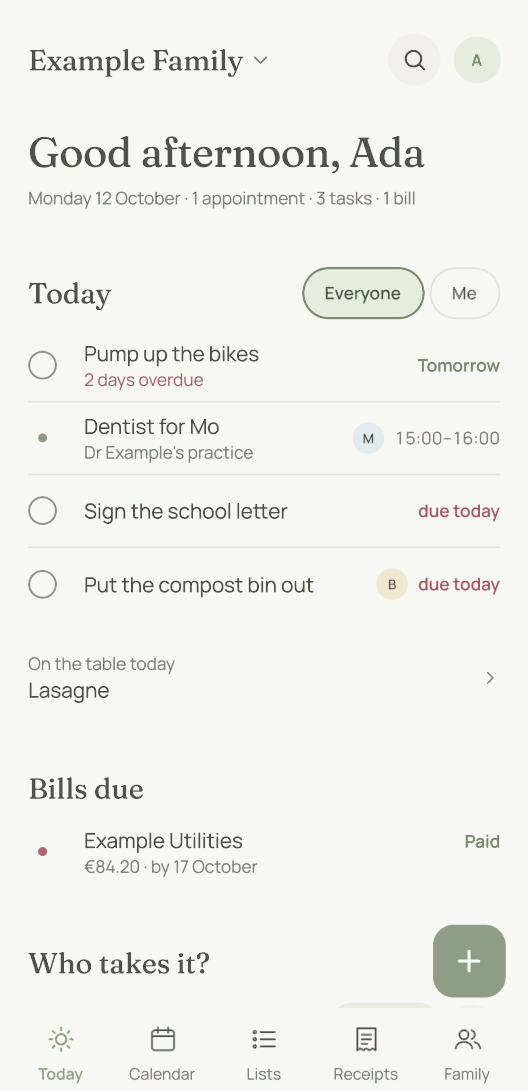
No snooze. You can’t push a notification back by ten minutes. What you move is the entry itself, and on Today the button for that is “Tomorrow”.
Last updated 20 October 2026. This is what the app actually does on that date.
Short answers
Why didn’t moj remind me?
There are four possible reasons, and the first is the most common. Reminders are off until you switch them on. moj also only reminds the people who are in the appointment. A task only reminds you if it has a reminder set. And your phone only reminds you of what it has already loaded.
Who is reminded of an appointment?
The people who are going. If the only people in it have no account of their own, such as children, moj reminds the adult they are with at the time. If nobody is in the appointment, moj reminds the adults. When you add an appointment, a line under the reminder says how many phones it will reach.
Can an appointment remind nobody at all?
Yes. Set the appointment’s reminder to “Off”. The appointment then shows in the calendar and moj announces it once, but no phone rings. It is meant for the kind of appointment eight people should know about but nobody goes to.
Why does a notification only come in the morning?
Because nothing rings at night. moj collects whatever comes up between 21:00 and 07:00 and sends it at 07:00 as one notification. It shows the first three lines and how many more there are.
Do the settings apply to my phone or to my account?
To your account. Every device you are signed in on follows them. Whatever the others in the family have set makes no difference to you.
Does moj remind me through WhatsApp too?
No, your phone does the reminding. On WhatsApp moj only replies when you write to it. The reason is Meta’s rules: more than 24 hours after your message, a bot may only send approved templates, and those are charged per message.
Last updated 20 October 2026. What a notification says and who gets it: Who sees what. How an appointment gets made: what you can send. And when two households are involved: two households.
Still have a question?
Send us a line about what you tried to do and what happened instead. We reply to the address you give.
Write to usIn the Swiss App Store since 6 October 2026. Germany and Austria will follow, and Android by the end of the year.