What is a household?
A household is the people who share a fridge. Your family starts with one household, and you give it a name when you set up moj. “Home” is enough if there is only one.
Every adult with their own account belongs to exactly one household. A child can live in several, even with their own phone, and so can a person without an account. Usually that is a child who lives with each parent in turn.
There is still just one family space. It holds all the households together, and it contains the calendar everyone needs.
When do you need a second one?
You need one as soon as two kitchens are involved. There are three typical cases:
- Separated parents. Two homes, children in alternate weeks, one calendar.
- Grandparents. They see the appointments of grandchildren who also live with them, and they do their own shopping.
- A bigger family. Your aunt, your brother in his own flat, all in one space.
You add a household under “Family”. Any adult can do that, not just the admin.
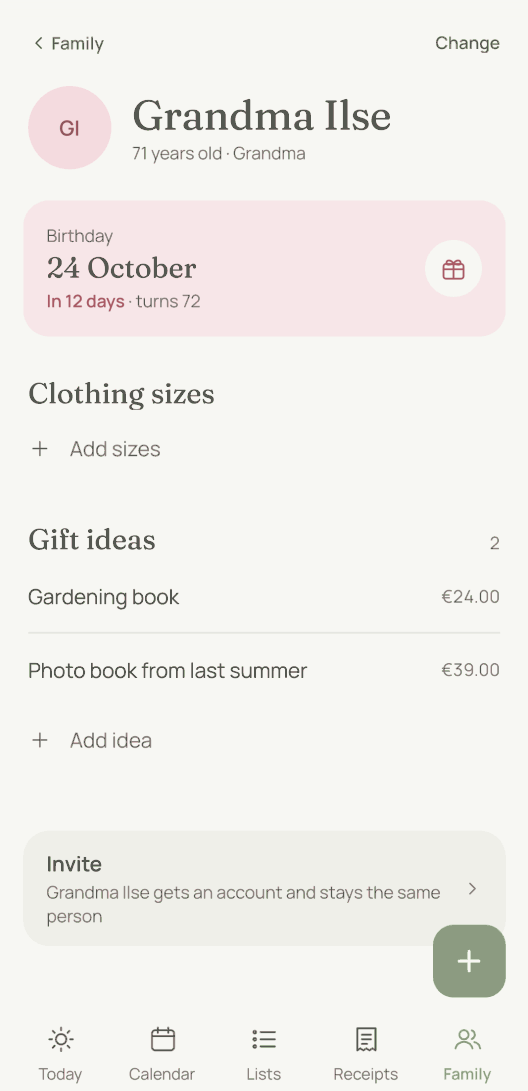
The grandparents only see the grandchildren’s appointments once the grandchildren also live with them. To set that up, open the grandparents’ household under “Family” and tap the child under “People without an account”. After that, moj also asks them who is taking the child.
When you add the second household, everything that already exists is assigned afresh. The space’s shopping list always belonged to the first household. There just wasn’t anyone else. From that day it carries that household’s name, and the new household gets its own list.
What belongs to whom after that?
Whatever a household adds belongs to that household at first. Any household with someone named in the entry itself gets it too. If a task names Grandma, Grandma’s household sees it.
Entries from the time when there was only one household then belong to the first one. If someone moves into the new household, they take with them what they wrote or appear in. If the new household should see more, set the entry to “Everyone” under “Who sees this”.
Two things you can say change that. “For everyone” makes an entry visible to the whole family space. And a shopping item follows its list: “Coffee on Grandma’s list” goes to Grandma.
You can also create your own list for several kitchens. A new list has “Who sees this list”, so the list for the golden wedding anniversary can belong to everyone. The full picture is in Who sees what.
A rota can span households too. “Taking turns: me, Rita and Nils” shows the task to all three, and the task shows whose turn it is. How a rota moves on is explained on Chore app.
How does moj know where the children are?
moj knows from the calendar. You put the changeover in just as you would say it anyway: “The kids are with me from Friday”.
This appointment doesn’t block time, and it names two sides: the children and one adult. It isn’t an extra field, just the sentence a separated family writes anyway.
Three things depend on it. During that time moj reminds the adult the children are with. The question “Who takes it?” isn’t asked, because that adult is in charge. And a child’s appointment no longer sets off phones in both homes.
If the changeover names two adults, moj only asks those two. The week doesn’t apply to tasks. A task with a date and nobody in charge still asks everyone who can see it. How the question works is explained in “Who takes it?”.
If the other parent isn’t in moj, you only put in your own weeks. The appointment can name you both, and the week then applies to both of you. The children spend the weeks in between with the other parent. During that time moj doesn’t ask “Who takes it?” and doesn’t remind either of you of their appointments. A child with their own phone is still reminded.
A child’s repeating task, such as “Empty the dishwasher” for Mo, isn’t due in those weeks. It is due again on the first day the child is back.
This works if your weeks follow a regular pattern. The children also have to be with you at least a third of the time. Every other weekend isn’t enough, and in that case moj keeps asking all the adults.
If you are both in moj, put in both sets of weeks. If only one side is in the calendar, the weeks in between count as the other parent’s, and moj asks nobody during them.
A swap the other way, to the other parent, also takes one sentence: “The kids are at their mum’s this weekend.” moj doesn’t ask who that is. That weekend, moj doesn’t ask or remind anyone either.
If there is nothing like this in the calendar, moj asks all the adults. That is the default, and it does no harm: one question too many is better than a lift nobody gives.
A swap takes one sentence: “The kids are with me this week” or “they’re with Ben this weekend”. The swap becomes a separate appointment on top of the changeover. The series stays as it is. If the sentence gives no time, a swapped week uses the handover times of the week it replaces. To go back, delete the swap.
You can also move a single handover with a sentence, such as “Handover on 25 December is at 11 this time”. Only that handover moves. The next one stays as it was.
What do you do when the school writes to both of you?
Send the letter to moj just once. moj recognises duplicate receipts, not duplicate appointments.
Add the child’s name, such as “for Lina”. Otherwise, if the letter names no child, moj asks which child it is for, because with two households that isn’t clear. With the name, both homes see the appointment, because Lina lives in both.
What about a child with their own phone?
The phone belongs to the household of whoever set it up. Anything the child adds to the shopping list goes there too. That applies even when the child is with the other parent at the moment.
In that case the child adds the name: “Milk on Dad’s list”. They still see their appointments from both households.
If the phone should belong to the other household, move it on that household’s page under “Move in here”. The child’s shopping then goes there, and the child still lives in both households.
What can you set for each household?
The name. It appears above the list and in moj’s replies. If you change it, the shopping list changes with it.
The state. If a household is in a different state, you set that on its page. Everyone then sees the public and school holidays for their own region, in the calendar and in the warning under a new appointment.
The lists. Each household has its own shopping list. You can share it with “Change” and “Who sees this list”. You can add more lists for one household, for everyone or just for selected people.
Individual people. Under “Who sees this”, tap “More” to pick individual people too. Then only you and they can see it, whichever household they live in.
The members. If someone moves, an admin moves them on the household page. Their shopping then goes on the new household’s list. They still see what they wrote or appear in.
What doesn’t work with households?
No adult in two households. An adult account lives in one place. Children and people without an account can live in several households. That is exactly what the model is built for.
No deleting a household. A household is merged into another one, with everything that belonged to it. That way nothing becomes visible to everyone by accident.
No separate rights per household. A role applies across the whole space. An adult is an adult everywhere. What someone sees depends on their household.
Last updated 20 October 2026. This is what the app actually does on that date.
Short answers
What is a household in moj?
The people who share a fridge. Your family starts with one household, and you give it a name. Every adult belongs to exactly one.
We live apart. Do we need two family spaces?
No, one space with two households. That way the children see their whole calendar, and each home keeps its own shopping list. Two spaces would mean two half calendars.
How does moj know where the children are at the moment?
From the calendar. You put the changeover in as an appointment: “The kids are with me from Friday”. It doesn’t block time, and it names the children and one adult. The reminders and the question of who takes an appointment depend on it.
And if the other parent is not in moj?
Then you only put in your own weeks, as a repeating appointment. The children spend the weeks in between with the other parent. During that time moj doesn’t ask anyone to take the children’s appointments.
Does the other household see our shopping list?
Not automatically. Each household has its own, and what is on it stays there. To share it, open it with “Change” and add the other household under “Who sees this list”.
Can a child belong to two households?
Yes, that is exactly what the model is built for. A child who lives with each parent in turn is in both households. Both homes therefore see what concerns the child. That also applies to a child with their own phone. An adult with their own account, on the other hand, lives in exactly one.
The school writes to both of us. Will everything appear twice?
Only if you both send in the letter. moj recognises duplicate receipts, not duplicate appointments. So send the letter just once and add the child’s name.
What happens when a household is no longer needed?
It is merged into another one. Its members move across, its lists and entries then belong to the other household, and the empty one disappears. Nothing becomes visible to everyone in the process.
Last updated 20 October 2026. Who sees what is set out in full on Who sees what. How you bring someone in: getting started. And who moj reminds when: when moj reminds you.
Still have a question?
Send us a line about what you tried to do and what happened instead. We reply to the address you give.
Write to usIn the Swiss App Store since 6 October 2026. Germany and Austria will follow, and Android by the end of the year.