How do you sign in?
You sign in with your email address. moj sends you a six-digit code that is valid for 5 minutes. You type it in, and you’re in.
There is no password. That means none to lose, none you already use somewhere else and none to turn up in someone else’s data breach.
How do you set up your family space?
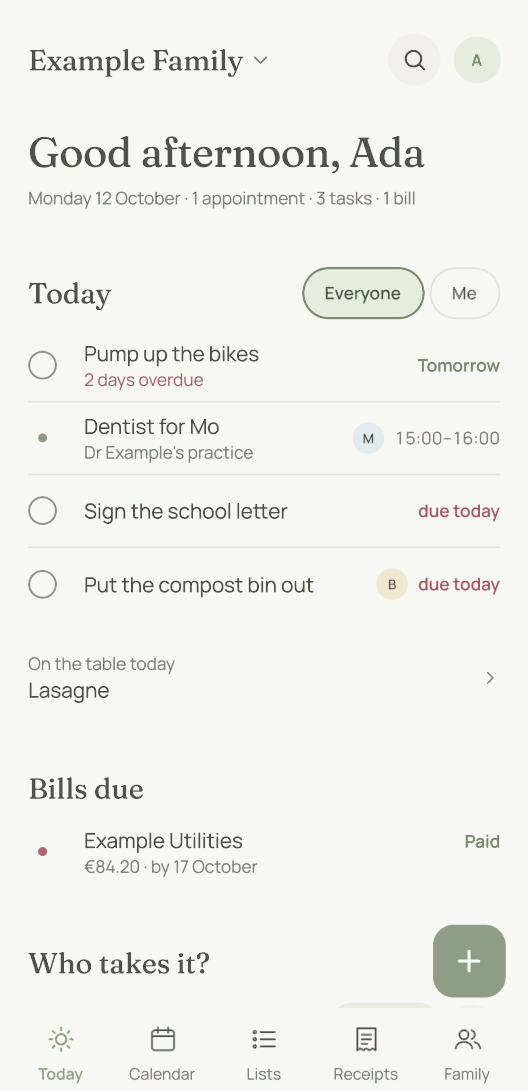
The family space is where everything lives: calendar, shopping list, tasks, receipts, people, goals. You give it a name and add your own first name. That is the whole step.
If you already have an invitation, tap “I have an invite link” instead. That takes you into the existing space rather than creating a second one next to it.
One account can belong to several family spaces, such as yours and the grandparents’. You switch between them in Settings. The spaces can’t see into each other. Only your phone puts your own appointments from both side by side. If two of your appointments overlap, it tells you when you add one and again in the daily overview.
A child’s phone is the exception: it belongs to exactly one family space. There is more on this in Your child’s phone.
Who do you invite, and with what rights?
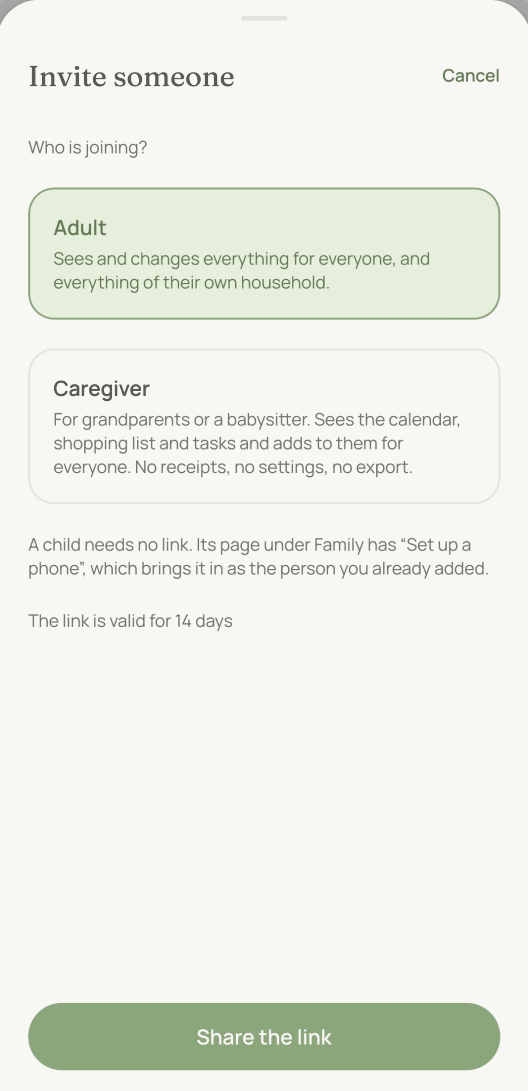
Any adult can invite people. In the Family tab, tap “Invite”. You share a link that is valid for 14 days, and you decide first who is joining:
- Adults see and change everything meant for everyone and everything in their own household: calendar, lists, receipts, people, goals.
- Caregivers see the lists, tasks and calendar and add to them for everyone. This is the role for Grandma, Grandad or the babysitter. Receipts, ideas, goals and settings stay closed to them.
A child joins without a link. They don’t need an email address either. On their page in the Family tab, tap “Set up a phone”. This shows a code that the child types into their own phone. After that they are in as the person you already added. A child account sees the lists, tasks and calendar and joins in there. Receipts, ideas, goals and settings stay closed to them.
The people you invite don’t have to live in your household. More on that below.
One link works for up to ten people, all with the same role and in the same household. That means one link is enough for the grandparents.
If someone is already in moj, such as Grandma with her birthday, invite them from their own page under “Family”. Otherwise they will appear twice. How that works is explained in Members.
You can also close a link. Tap “Withdraw” next to the open invitation, and the link stops working. Anyone who has already joined stays.
How do you link WhatsApp?
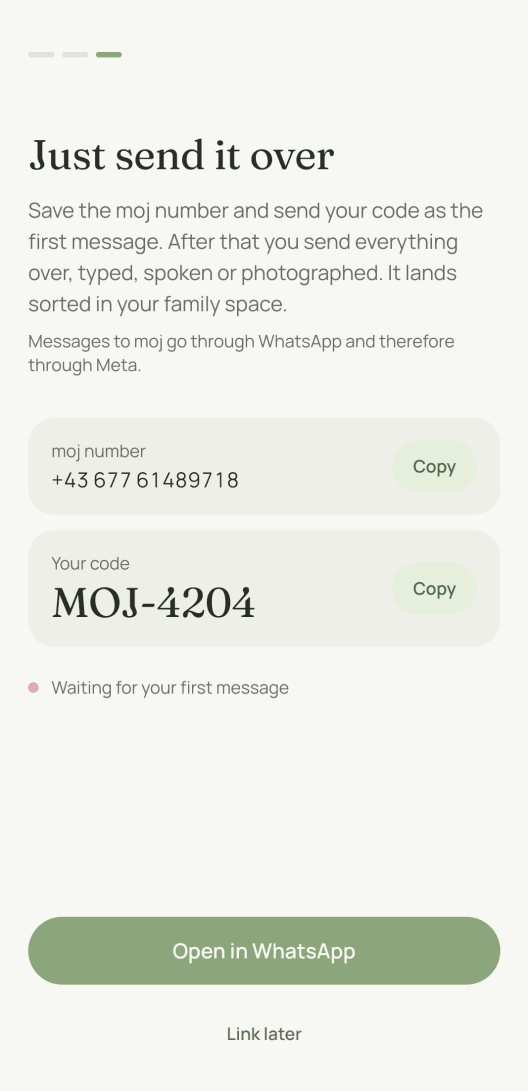
In Settings, tap “WhatsApp”. To open Settings, tap the circle with your initial at the top right of “Today”. You get a code like MOJ-4821 that is valid for 15 minutes. Save the moj number in your contacts and send it the code as your first message.
You get one line back that names your family space. From then on, every message, voice note or photo you send to this number lands there, sorted.
Everyone links their own number. There is no WhatsApp group, because in a group it would no longer be clear who sent a message. And moj needs to know that.
One more thing should be said plainly: messages to moj go through WhatsApp, and so through Meta.
What if you don’t shop together?
Then you add households. A family space can hold several: you, the grandparents, your aunt. Each household has its own shopping list.
The other households only see what one household adds if it is meant for everyone or names someone in their household. That is also why moj understands “Coffee on Grandma’s list”. It is a different list, not a different app.
What doesn’t work yet when you start?
No starting without the app. The code that links your number is created in the app. If a number moj doesn’t know sends a message, moj replies with directions to the app. It doesn’t store the number. If moj isn’t available for a phone yet, WhatsApp from that phone won’t work yet either.
No sign-in with Apple or Google. Only your email address and a code.
No import from another app. You can always take everything out, though. In Settings you can download it all as a file.
Last updated 20 October 2026. In the Swiss App Store since 6 October 2026. Germany and Austria will follow, and Android by the end of the year.
Short answers
Do I need WhatsApp to use moj?
No. WhatsApp is the quick way in, but you don’t need it. The app has the same way in, called the inbox. You can write, speak or take a photo there. If you don’t link WhatsApp, all you lose is the shortcut.
Do I need a password?
No. You enter your email address and get a six-digit code that is valid for five minutes. There is no password at all. That means there is none to lose and none to turn up in someone else’s data breach.
Can I be in more than one family?
Yes. One account can belong to several family spaces, such as your own and your parents’. You switch between them in Settings. The spaces can’t see into each other. Only a child’s phone belongs to exactly one family space.
How long is an invite link valid?
Fourteen days. After that it stops working and you share a new one. A link that never expires ends up in the wrong chat sooner or later.
Does everyone in the family have to link WhatsApp separately?
Yes. Each person links their own number with their own code from the app. There is no WhatsApp group. Everyone writes to moj one to one, and the family sees the result in the app.
Last updated 20 October 2026. Next: what you can send moj, and what to do when something ends up in the wrong place. What moj does with your data is in the privacy policy.
Still have a question?
Send us a line about what you tried to do and what happened instead. We reply to the address you give.
Write to usIn the Swiss App Store since 6 October 2026. Germany and Austria will follow, and Android by the end of the year.