This week’s shop
Week of
This week’s meals
| Day | Dish |
|---|---|
| Monday | |
| Tuesday | |
| Wednesday | |
| Thursday | |
| Friday | |
| Saturday | |
| Sunday |
Fresh
Pantry
Toiletries and household
Other
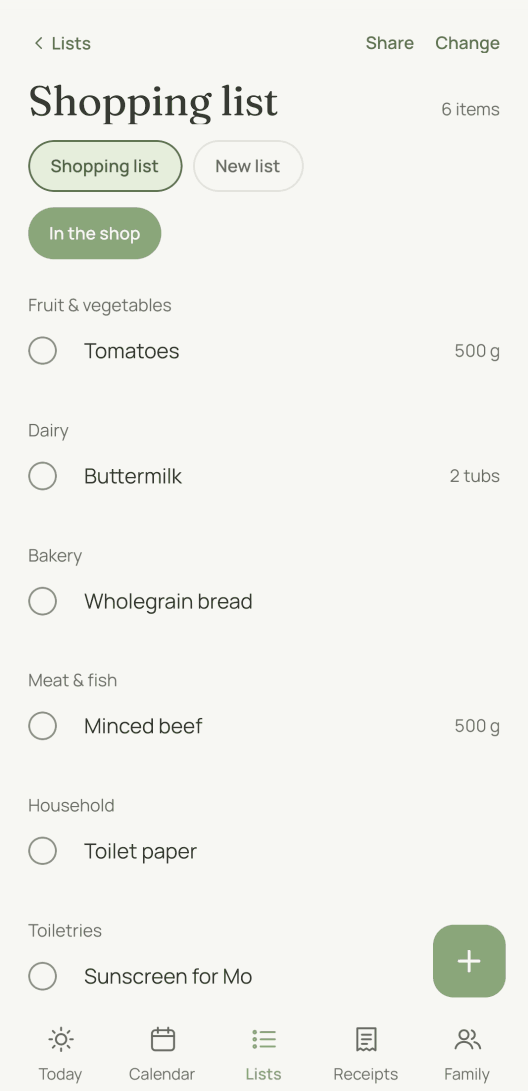
In the moj app the ingredients of a dish go onto the list with one tap.
Why is the list sorted by area?
Because that is the order in which you walk round a supermarket. An alphabetical list sends you from the apples to the toothpaste and back again.
This one follows the eleven areas moj sorts every item into. They come in the order most supermarkets are laid out in:
Fruit & vegetables · Dairy · Bakery · Meat & fish · Frozen · Pantry · Drinks · Child · Household · Toiletries · Other
“Other” comes last and often stays empty. That is on purpose. An area where anything fits soon becomes the only one anybody uses.
What can’t the template do?
Paper doesn’t know what is already in the trolley. If two of you shop, you buy the milk twice. And what was on the list last week is missing again next week.
That is what a list that thinks ahead is for. In moj you send “Milk and toilet paper” on WhatsApp or type it in, and it appears for everyone. Anything ticked off disappears for everyone too. And moj suggests by itself what you buy again and again.
As of 12 October 2026. In the Swiss App Store since 6 October 2026. Germany and Austria will follow, and Android by the end of the year.
Short answers
What belongs on every shopping list?
Whatever runs out in your home every week: milk, bread, fruit, vegetables, something to cook and toilet paper. Things you rarely restock don’t belong here. They go on the pantry list. The eleven areas on the sheet give the list its frame. They follow the order most supermarkets are laid out in, so nothing at the back of the shop gets forgotten.
How do I write a shopping list that works?
Follow your route through the shop, not the alphabet. Write down ingredients rather than dishes: “Mince, 500 g” helps in the shop, “Bolognese” does not. Add the amount where it matters. And put the list where you will see it while cooking. The fridge is where you notice what is missing.
Why is the list sorted by area and not alphabetically?
Because you don’t walk round a supermarket in alphabetical order. The eleven areas follow the order most shops are laid out in. Fruit and vegetables come first. Household and toiletries are near the end, and only “Other” comes after them.
How do I print the template?
Use the “Print” button above the sheet or press Ctrl+P. On a phone you go through “Share” and then “Print”. Only the list is printed, without the text or the menu.
Can I change the template?
Above the sheet you can choose between three forms and three colours. One form is sorted by area, one has no areas and one starts with the week’s meal plan. For anything else, use a pen on the paper. You don’t need any software or an account for it.
What if two people shop at the same time?
Then paper is the wrong choice. That is exactly what moj is for. You send “Milk and toilet paper”, and the list appears on every device in the family. The order is the same as on this sheet.
Shopping list template by moj, as of 12 October 2026. All the lists: printable templates. There is also a pantry list for the things that should never run out.
What if the list did the remembering?
moj is the family planner you simply send things to: by WhatsApp, as a voice message or as a photo. It all ends up sorted, where everyone can see it.
In the Swiss App Store since 6 October 2026. Germany and Austria will follow, and Android by the end of the year.
Not available for you yet? Leave your address and we will let you know.
One mail to confirm, one at launch, none after that.